
Changing settings
To change system settings:
- Click on Settings (always visible in the upper-right part of your screen). The settings window will open and allows you to adjust various settings such as language, measurement units and other technical settings (see below).
- Double click on the setting which you want to modify (see below). Many of the options open a pull-down menu. Others allow you to input a value manually.
- Click on Save. A new window will appear asking if you would like to restart the system.
- Click Yes (after adjusting any setting, we suggest restarting Iptim to make sure that the changes have been successfully carried out).
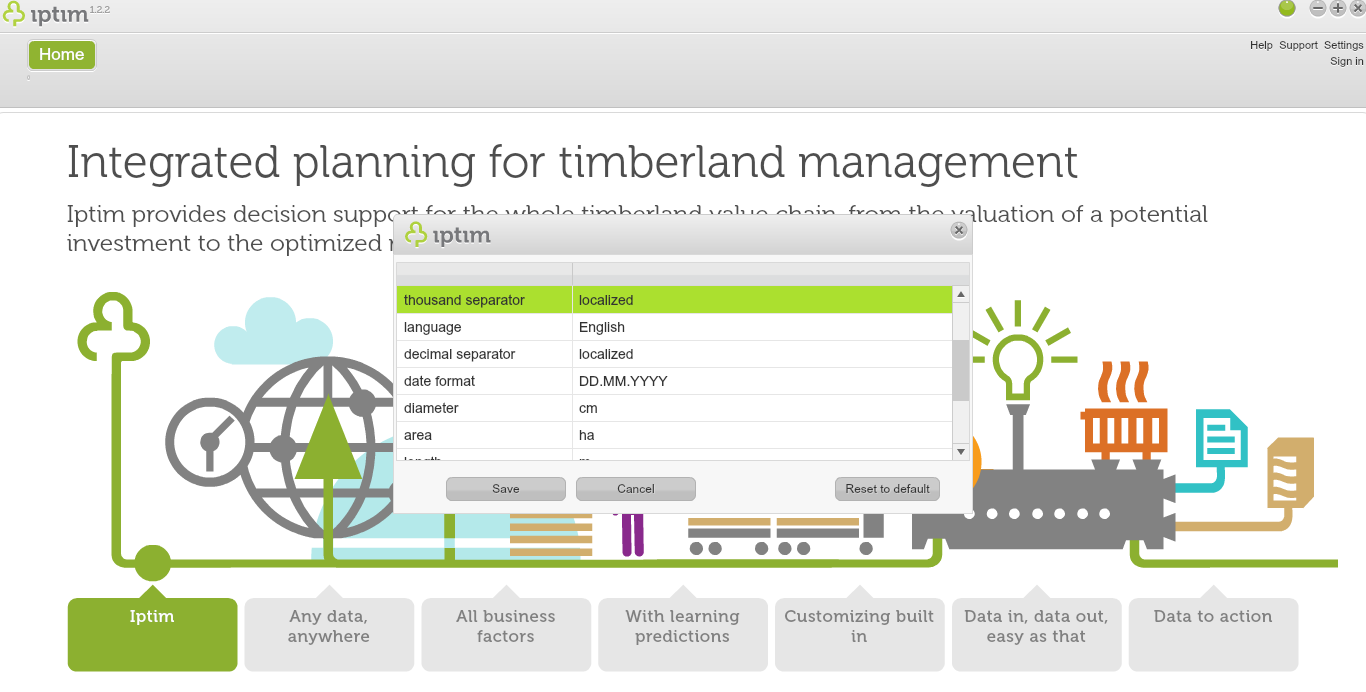
Settings window.
_
Technical settings
Iptim allows you to modify various technical settings. Please note that these may have important effects on the system. Technical settings include:
- request timeout
- saved session timeout
- server
- client
_
Localization settings
- date format
- thousand separator
- decimal separator
_
Language
Iptim offers the following language options:- English
- Spanish
- Finnish
- Portuguese
- Russian
- Swedish
_
Measurement units
At the moment, Iptim offers the following language options:
- age
- weight
- total volume
- basal area
- count
- total weight
- area
- diameter
- proportion
- length
- total count
- volume
Comments
0 comments
Please sign in to leave a comment.