
Asking for Support
Iptim includes an integrated feature to ask questions and ask for technical support. This application functions through the creation of issues which will be addressed as soon as possible by Iptim's developers. To create an issue:
- Click on Support (always visible in the upper-right part of your screen).
- Enter a Subject. Describe the problem or suggestion in a short and descriptive manner.
- Enter Your e-mail address.
- Enter a Description. Describe the problem in a detailed manner. When reporting a bug, please explain the actions which need to be taken to recreate the bug.
- If you wish, turn on the switch button Include screenshot. When activating this option, Iptim will attach a screenshot to the report.
- Click in Create issue.
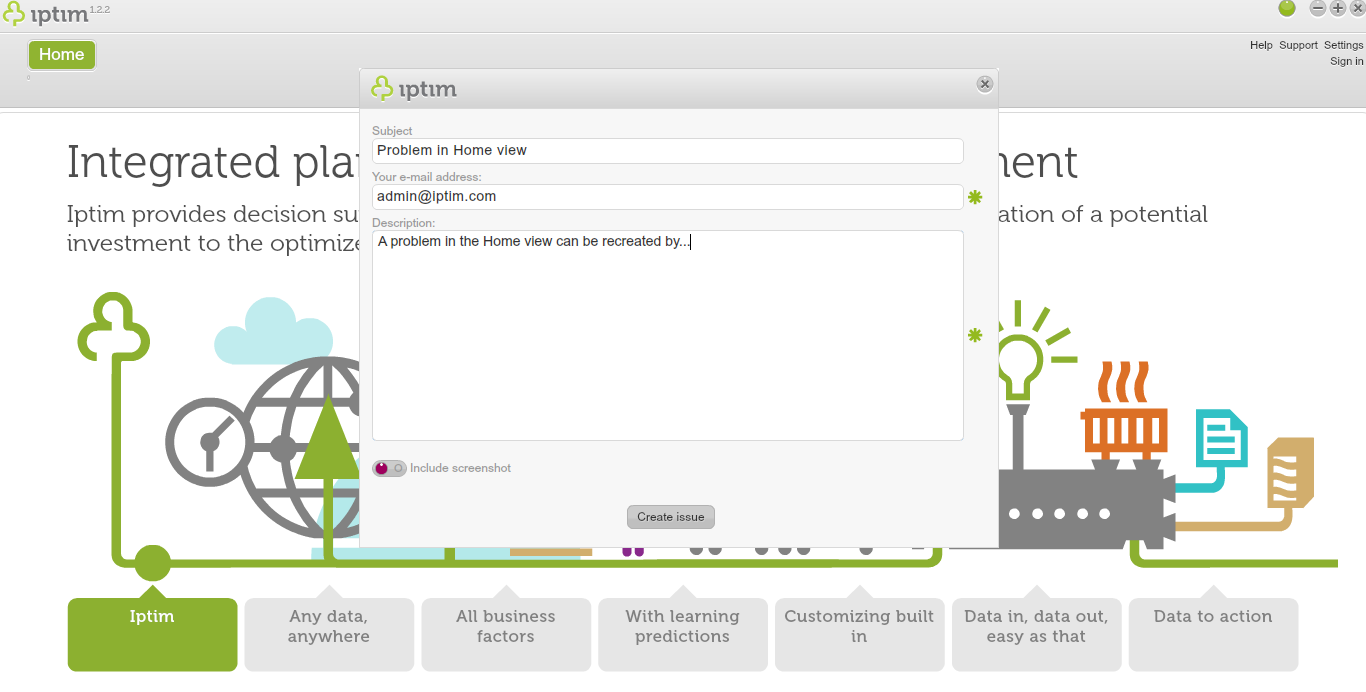
How to creat an issue for support.
Comments
0 comments
Please sign in to leave a comment.