
- Project browser to manage projects and data sets.
- Map to visualize maps, observe and modify data, and apply theme layers.
- Data to manage data of forest inventories and stand registries.
- Summary to analyze summaries of the data with graphs and tables.
- Structure to visualize and modify the data structure.
- Task Manager to schedule and assign tasks.
Project browser
- Users can create/modify projects and assign data sets to each of them.
- The basic work unit of Iptim is the proyect. A proyect can represent forest assets, farms, and larger areas.
- Each project may have one or more data sets. Each data set may represent stand registries, sample plot inventories, and auxiliary data.
- Data may be imported in various formats including text and Excel files.
- Although the system is configured to manage various types of variables (stands, height), new variables can always be added. In this way, the system adjusts to the way in which your organization manages data.
- More information in Project browser.
- More information specifically about importing adata in Importing Data.
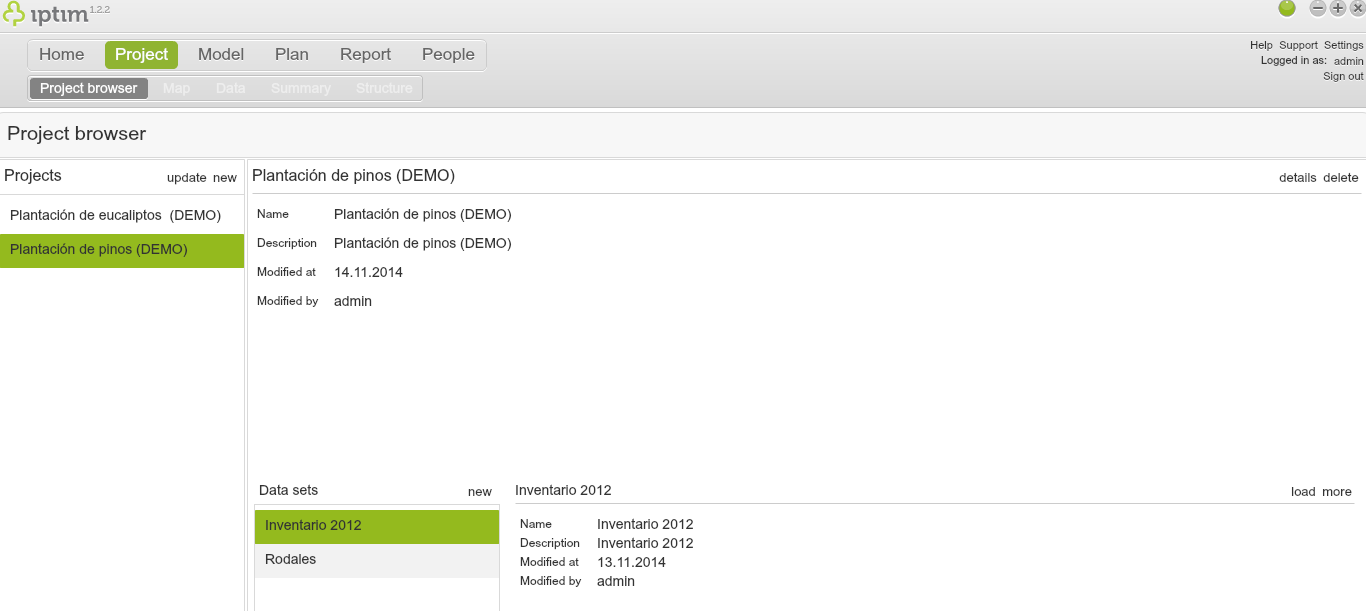
Project browser window showing a project with two data sets.
__
Map
- Visualize your stands and sample plots.
- Theme layers can be added to visualize, for example, how species are distributed among your stands.
- More information in Map.
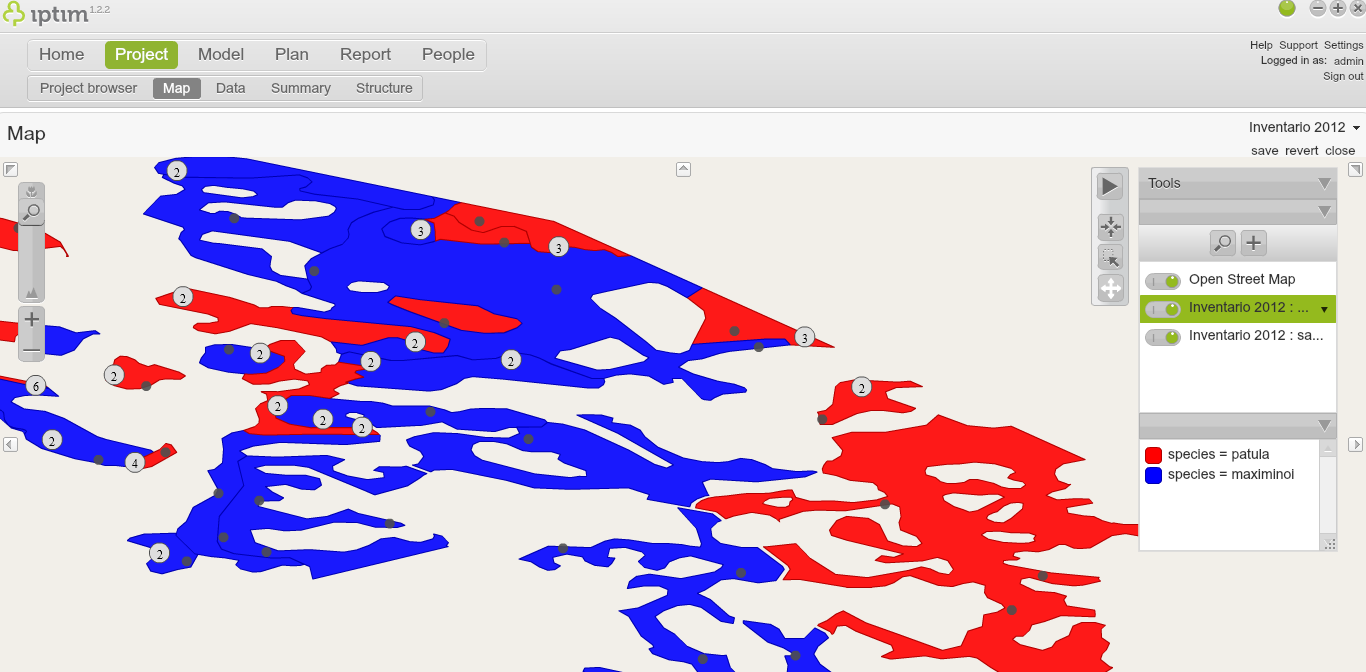
Map window showing a map with a theme layer.
__
- Iptim offers a data management platform with a common worksheet template.
- The data sheet allows adding and modifying data.
- The data sheet may allow a layer for stands, a layer for sample plots, and a layer for individual trees
- More information in Data.
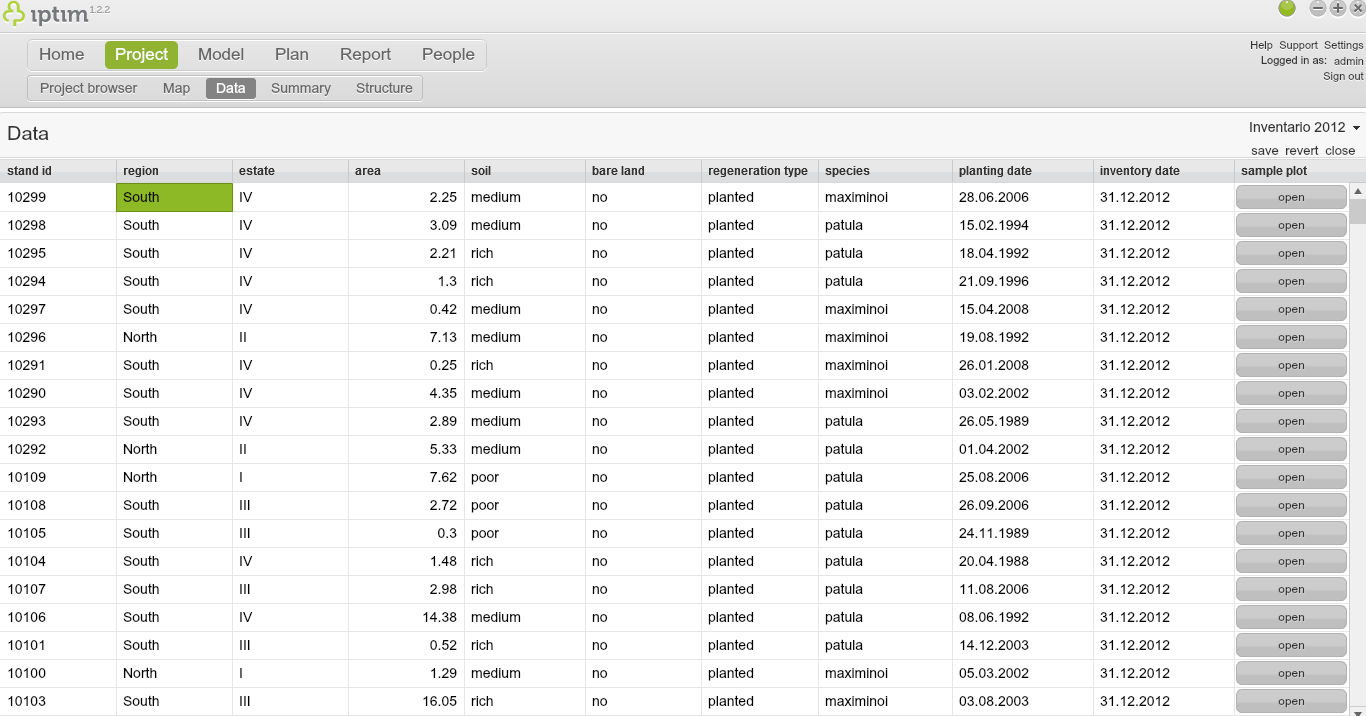
Data window showing sample plot data.
__
Summary
- Iptim allows users to visualize summaries and relationships of their data with the use of graphs and tables.
- Summaries allow classifying various variables (e.g. species) according to multiple numerical properties (e.g. tree height).
- Relationships allow users to use two dimensional graphs to plot various attributes (e.g. age vs. diameter). This view may allow spotting outliers in the data.
- More information in Summary (of project data).
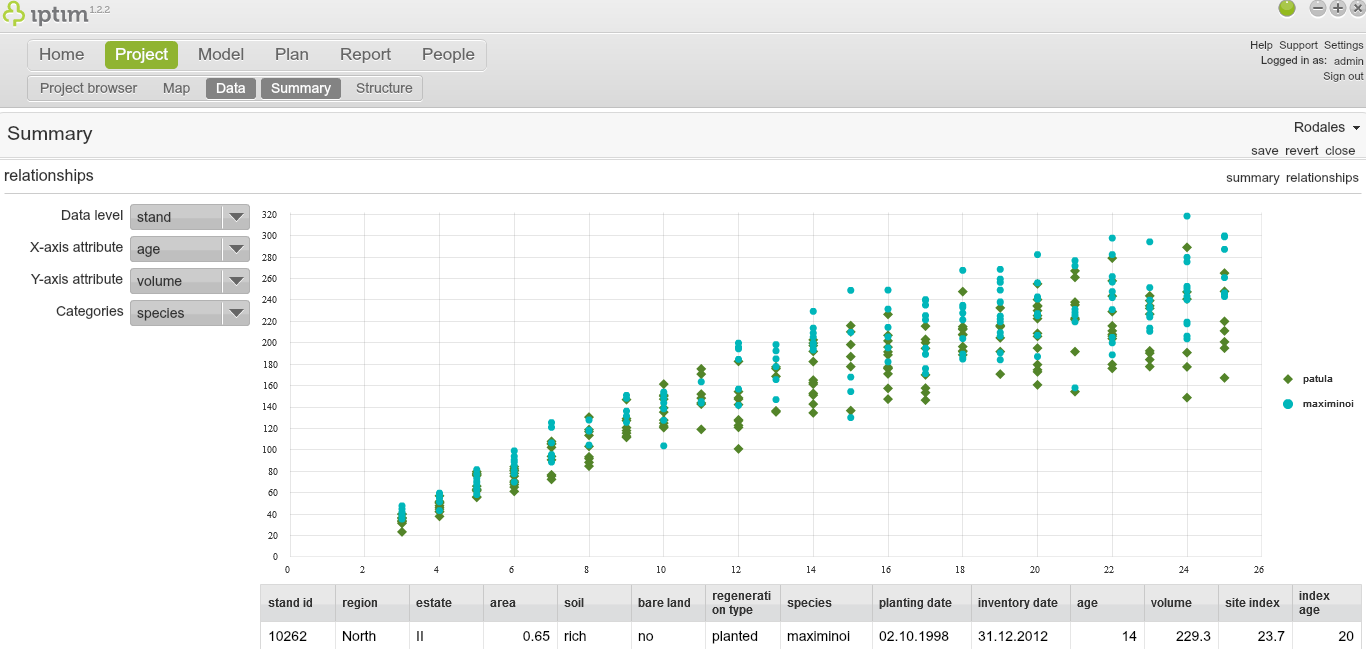
Summary window showing relationship between variables.
__
Structure
- Iptim is designed to manage data structures common in stand registries, inventory data, tree lists and distributions useful to forest engineers.
- The Structure window allows users to manage their data structure and add new variables.
- More information in Structure.
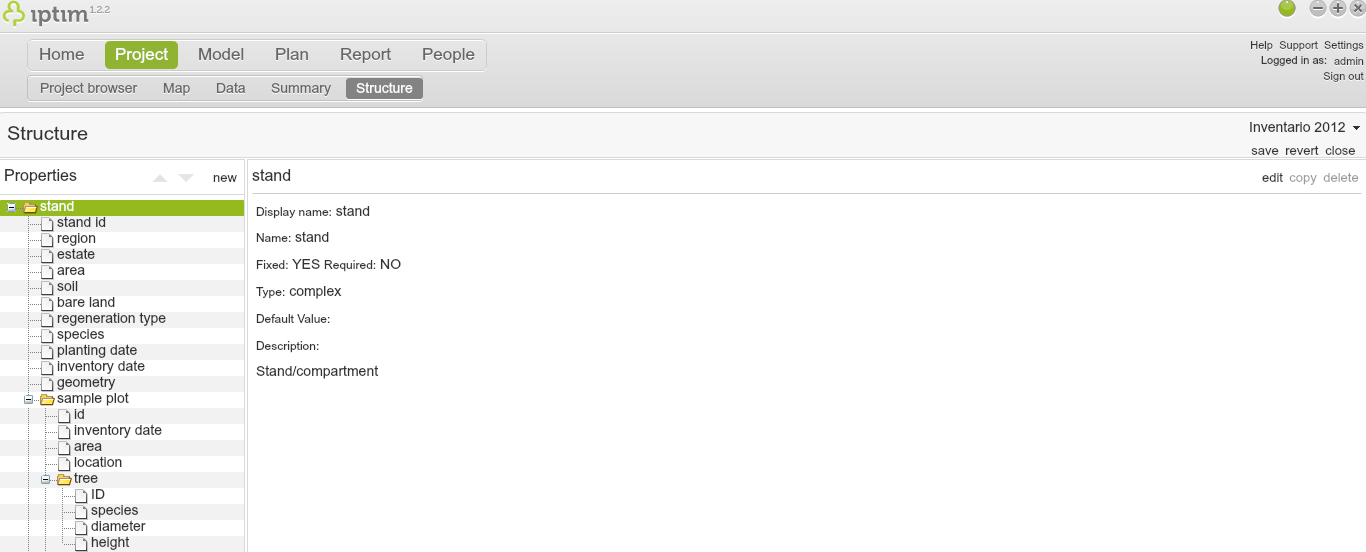
Structure window showing the structure of an inventory data set.
__
Task Manager
- Iptim provides tools to schedule tasks and assign them to staff and field crews.
- The Task Manager submodule includes a view of all activated tasks associated to a particular stand register, information on each stand, and summary of operation areas, hours per assignee, and monthly budgets.
- More information on Task Manager.
Comments
0 comments
Please sign in to leave a comment.